

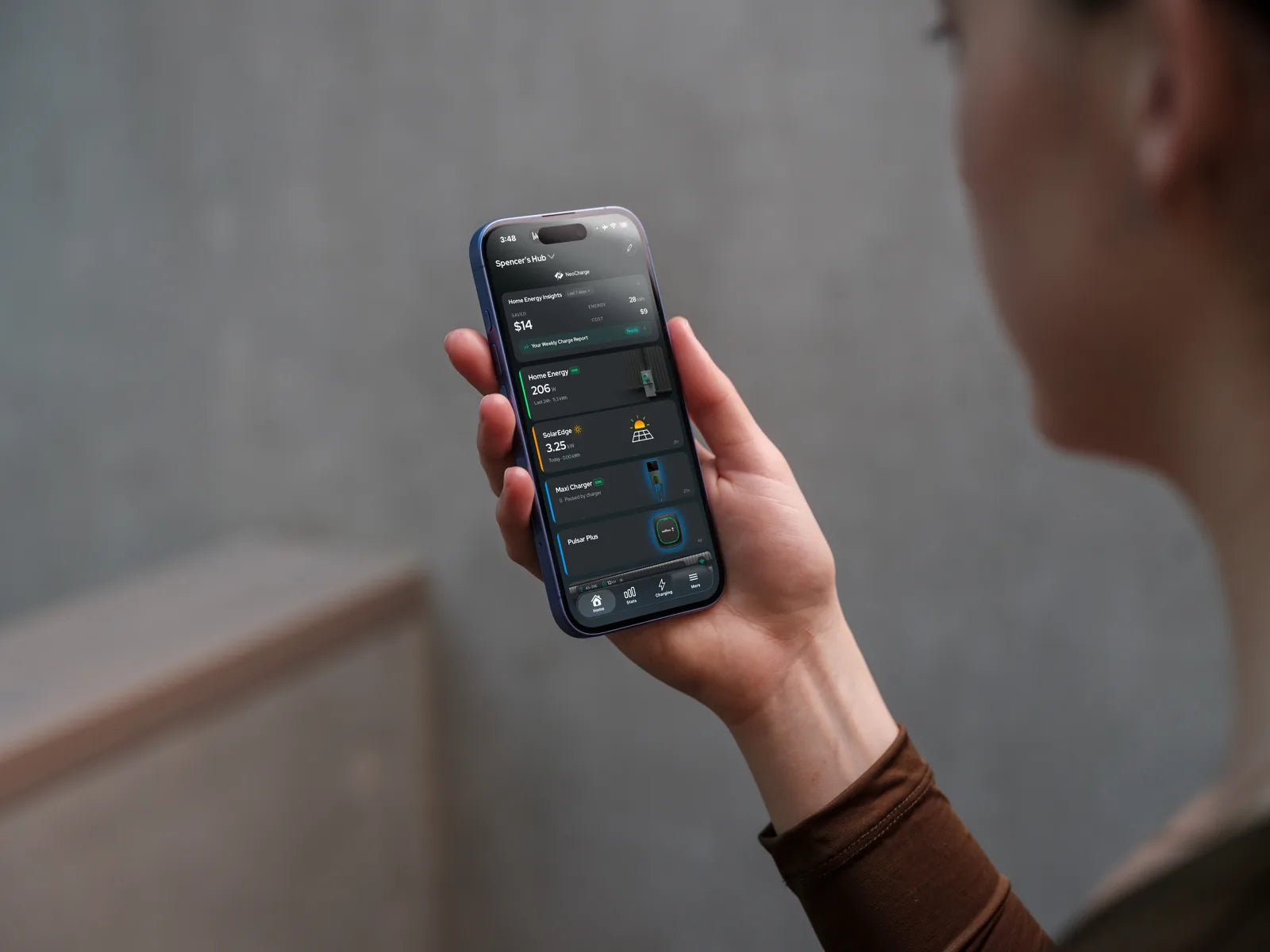



The NeoCharge app · iOS & Android
Know what every charge costs. Then pay less for it.
Plug in like you always do. The app charges your EV in your utility’s cheapest hours, has it ready by morning, and shows you what every session cost.


On your laptop?Point your phone camera here to download.
Free to download. Free with every Smart Splitter.
- 25,000+ drivers
- 20+ EV brands
- US & Canada


Works with 20+ EV brands and chargers


How it works
Set it up once. It saves every night.
-
Connect your car
Sign in with your car’s own account — Tesla, Ford, Hyundai, Kia and 20+ more brands. No dongle, no extra hardware.
About 2 minutes -
Pick your rate plan
Choose your utility and plan. Every charge is then priced in your real peak and off-peak rates, not an average.
About 1 minute -
Plug in. Walk away.
Set a ready-by time. The app waits for the cheap hours, charges, and has you where you need to be by morning.
Every night after
Inside the app
Every charge, in dollars. Every night, on autopilot.
Real screens from the app today. Tap through, or let it play.
-
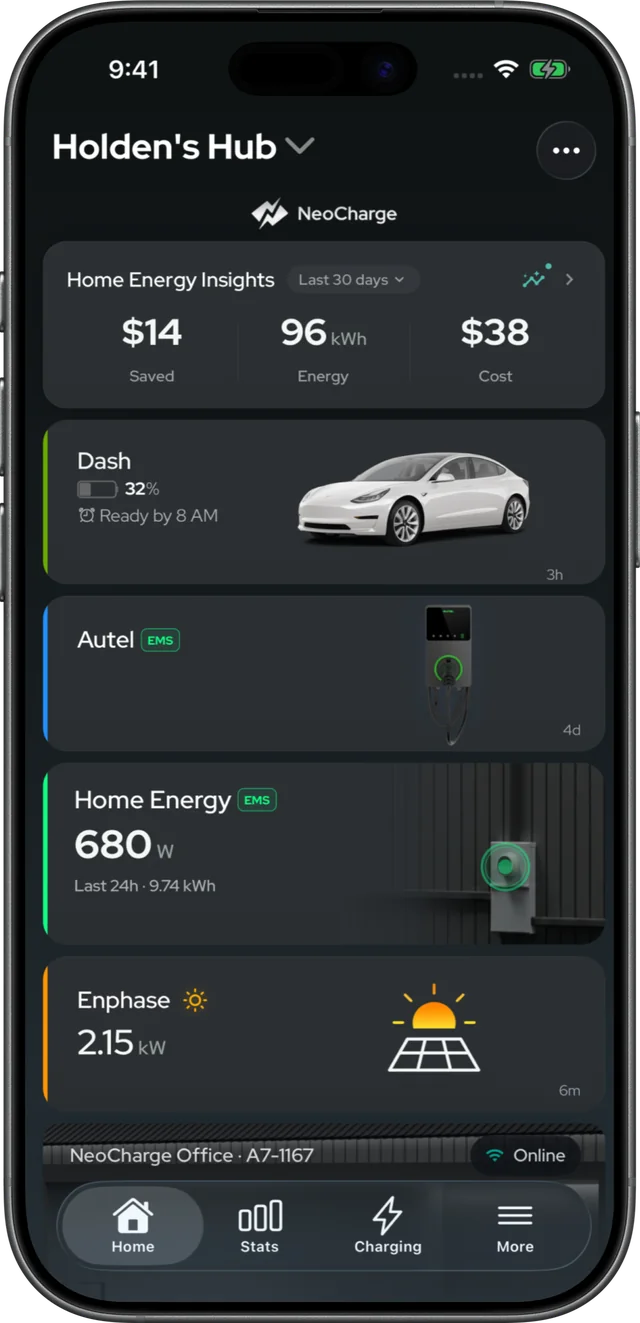
Set a ready-by time for each day. The app finds the lowest-cost window on your rate plan and starts the car itself — and you can always tap to charge right now.
Ready by 8 AM · weekdays -
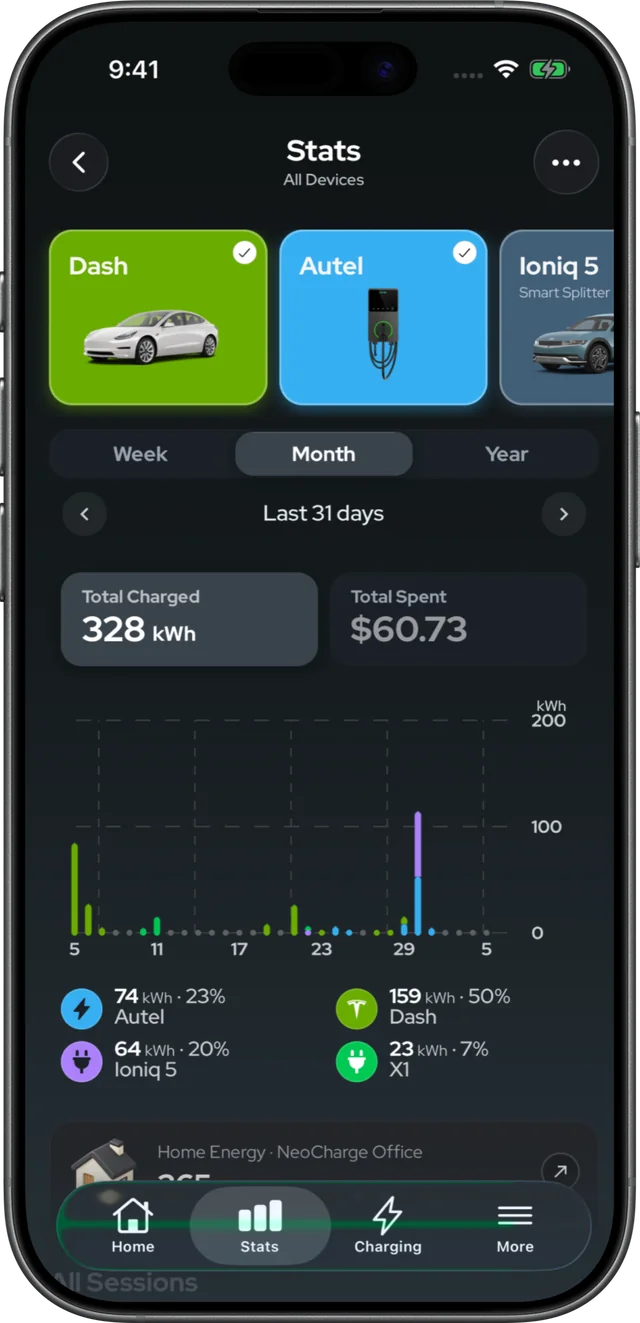
kWh and cost for each car and each charger, by week, month and year. Two EVs on one outlet? Each one is tracked on its own.
328 kWh · $60.73 in 31 days -
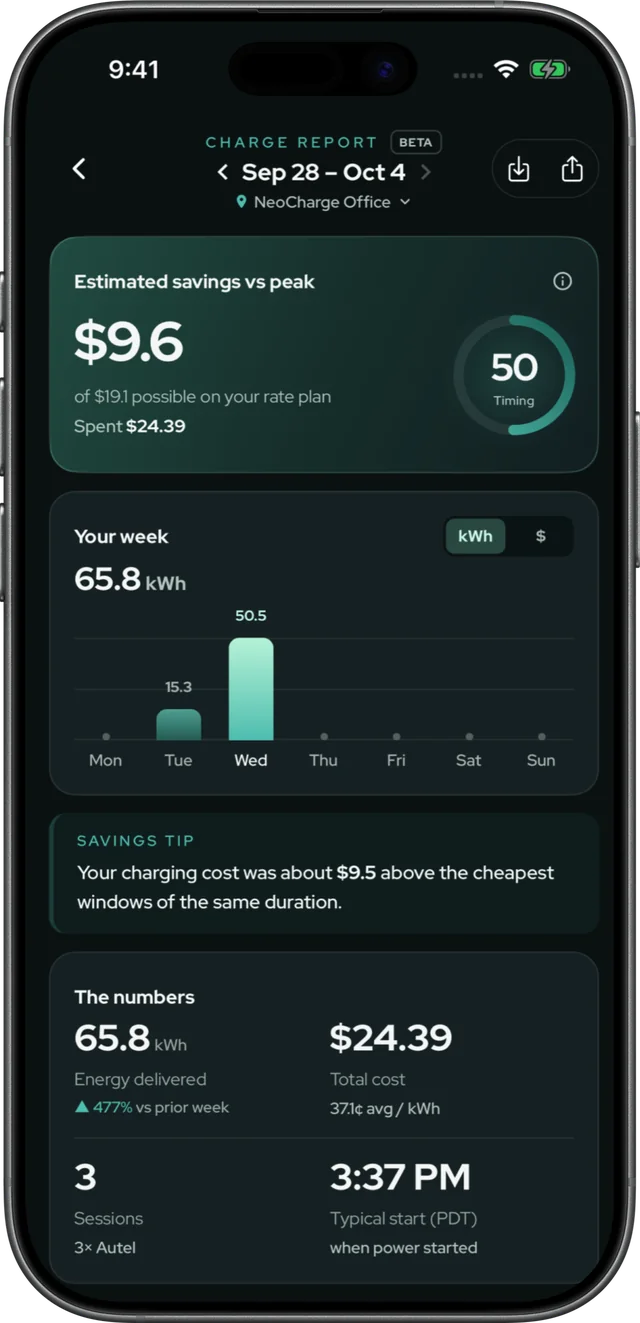
What you spent, what you saved versus charging at peak, and when you plugged in — with one tip to save more next week.
$9.60 saved vs peak this week -
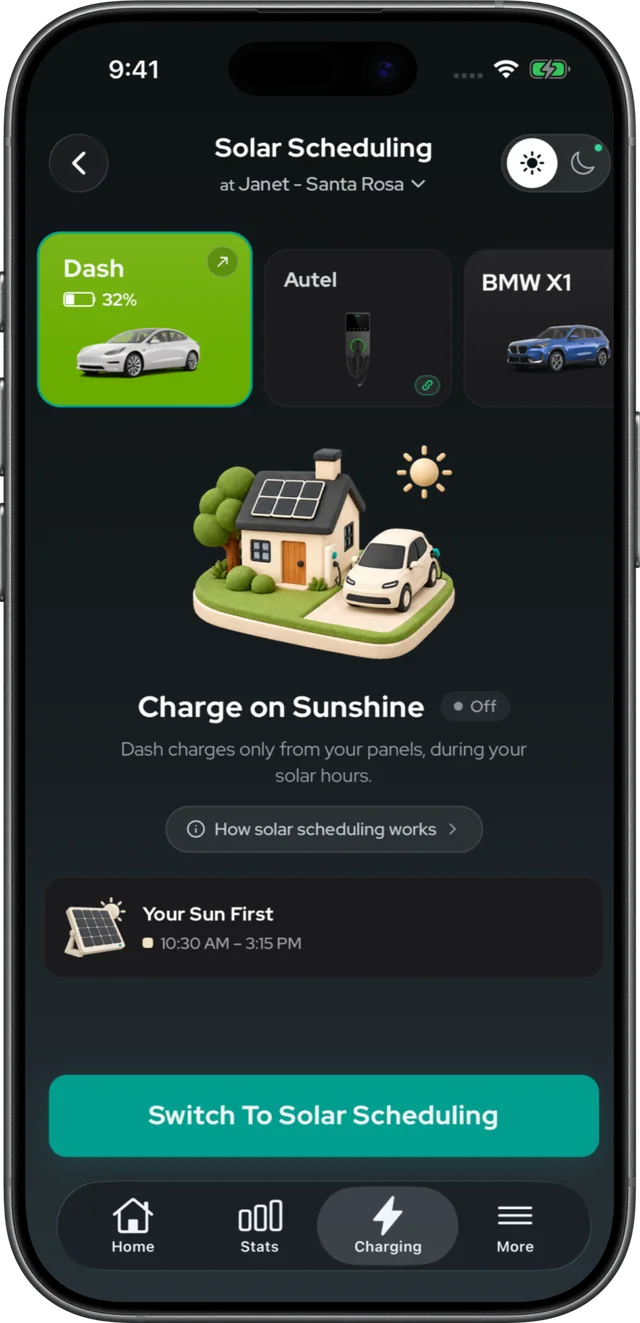
Have Enphase, Tesla or SolarEdge panels? Switch to solar scheduling and your car charges from your own roof during the day. Part of the optional solar plan.
Charges 10:30 AM – 3:15 PM -
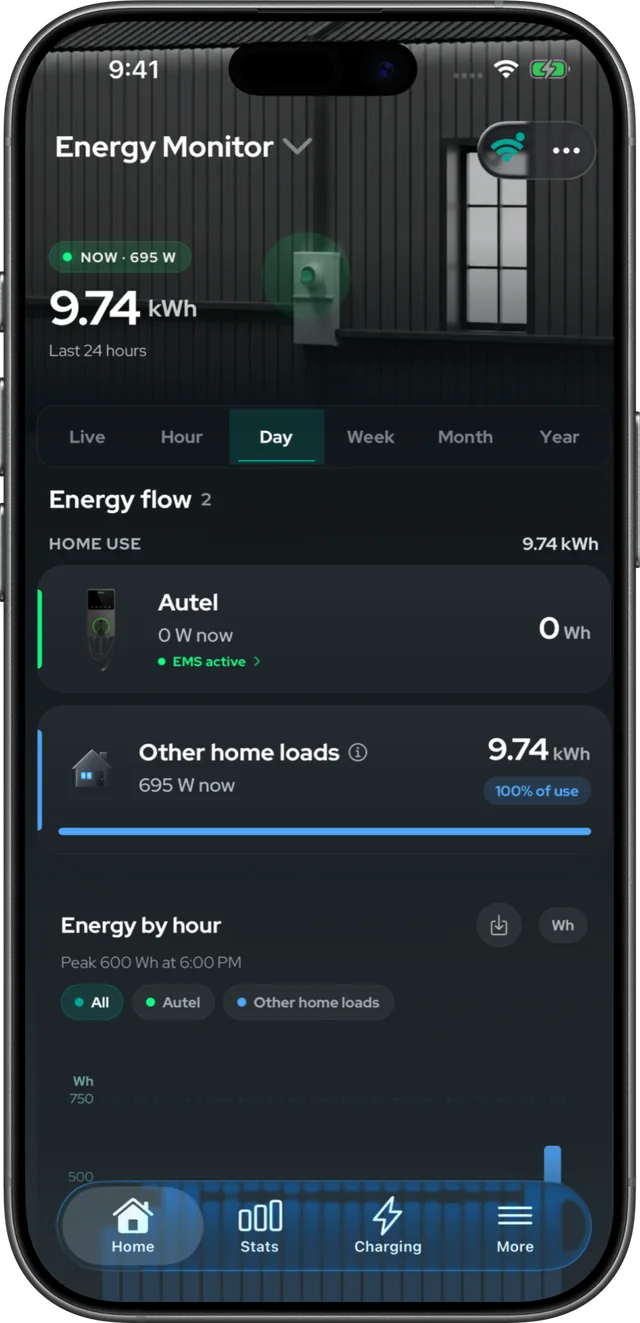
Add the NeoCharge Energy Monitor and see your home’s live load next to your EV — hour by hour, so you know what is really driving the bill.
9.74 kWh home use · last 24 h -
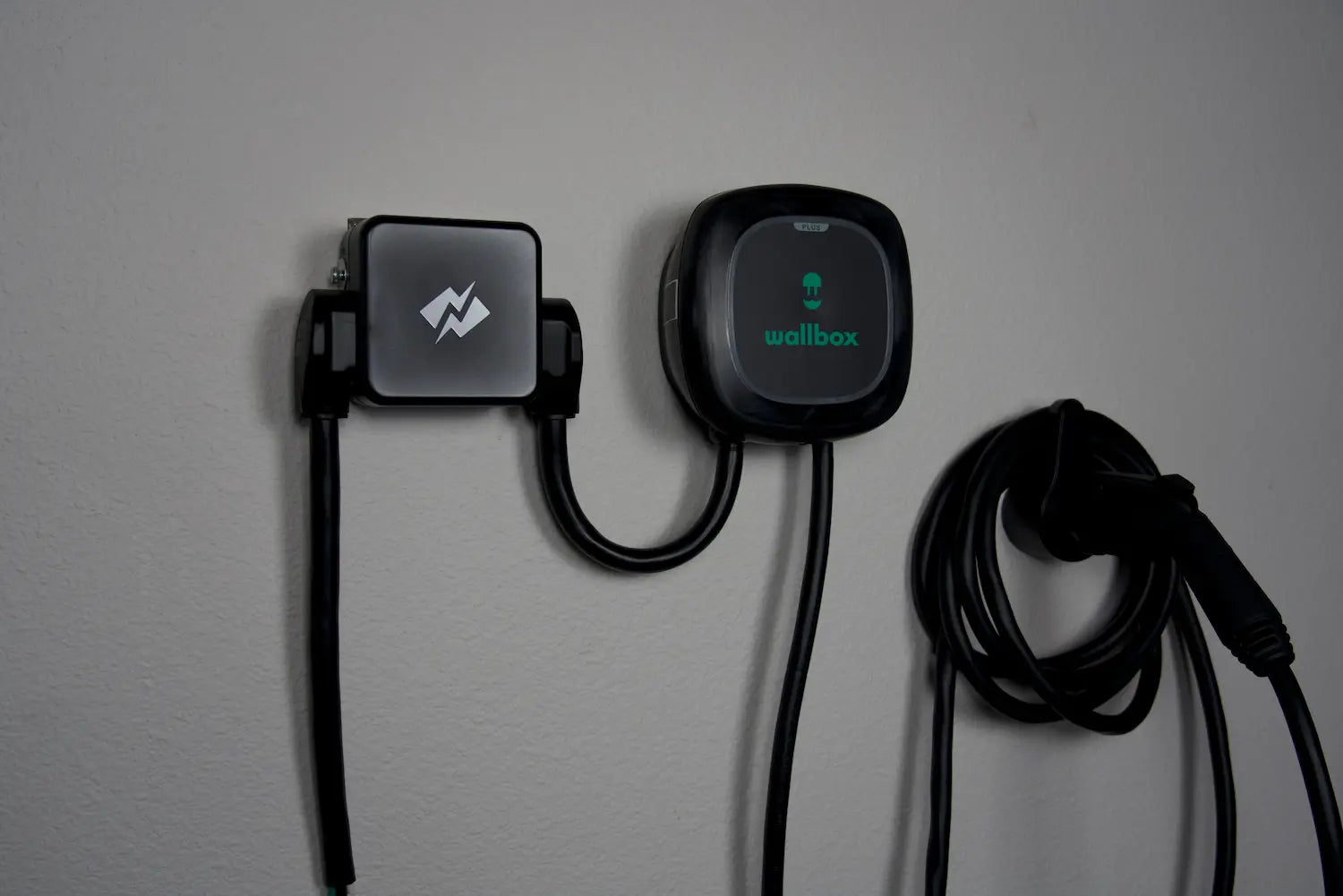
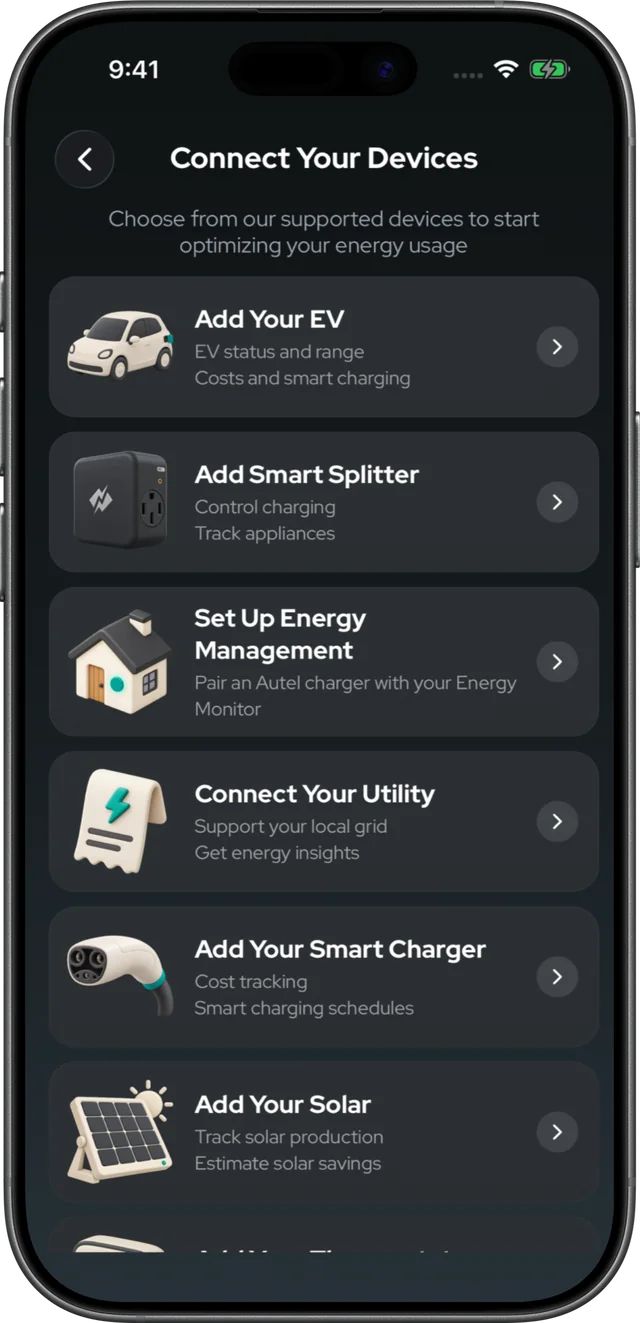
Your EV, your charger, Smart Splitter, Energy Monitor, solar and your utility — add what you have, skip what you don’t. Everything shows up in one place.
6 kinds of devices, 1 app
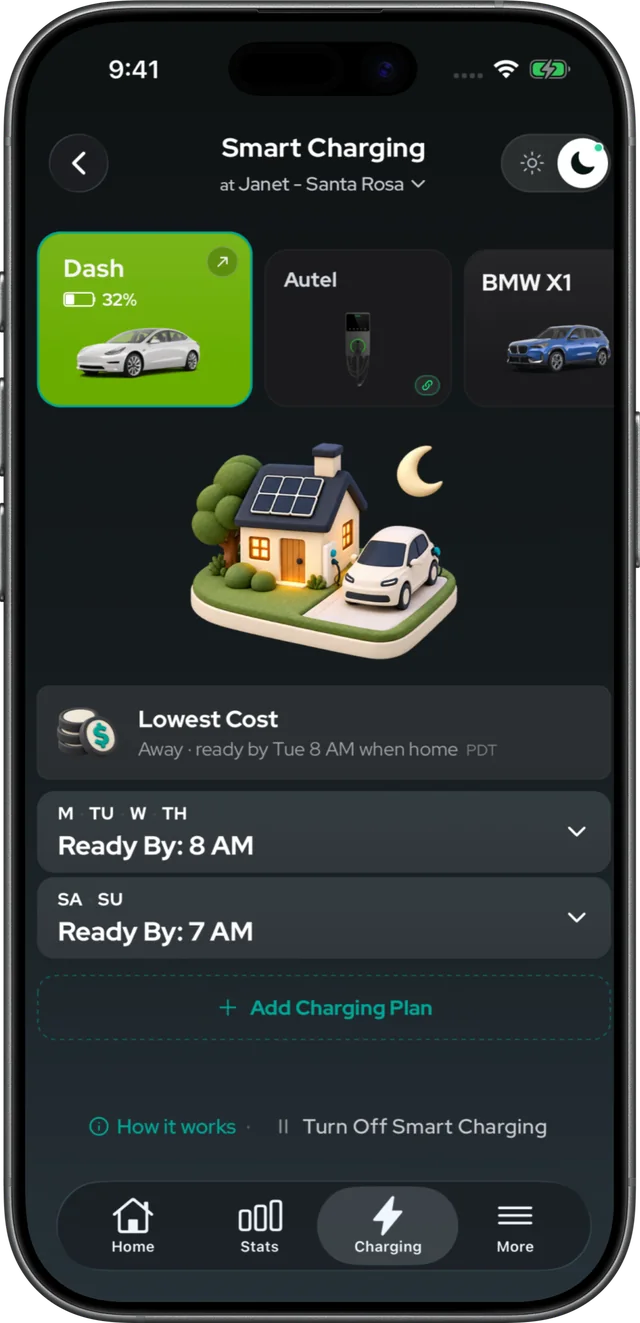

Numbers shown are from a NeoCharge team account. Your savings depend on your rate plan and how you drive.


Life with NeoCharge
Plug in once. Then get on with your evening.
The app does the waiting, the timing and the math. Your car is ready by morning — and you never had to think about it.
Made for the Smart Splitter
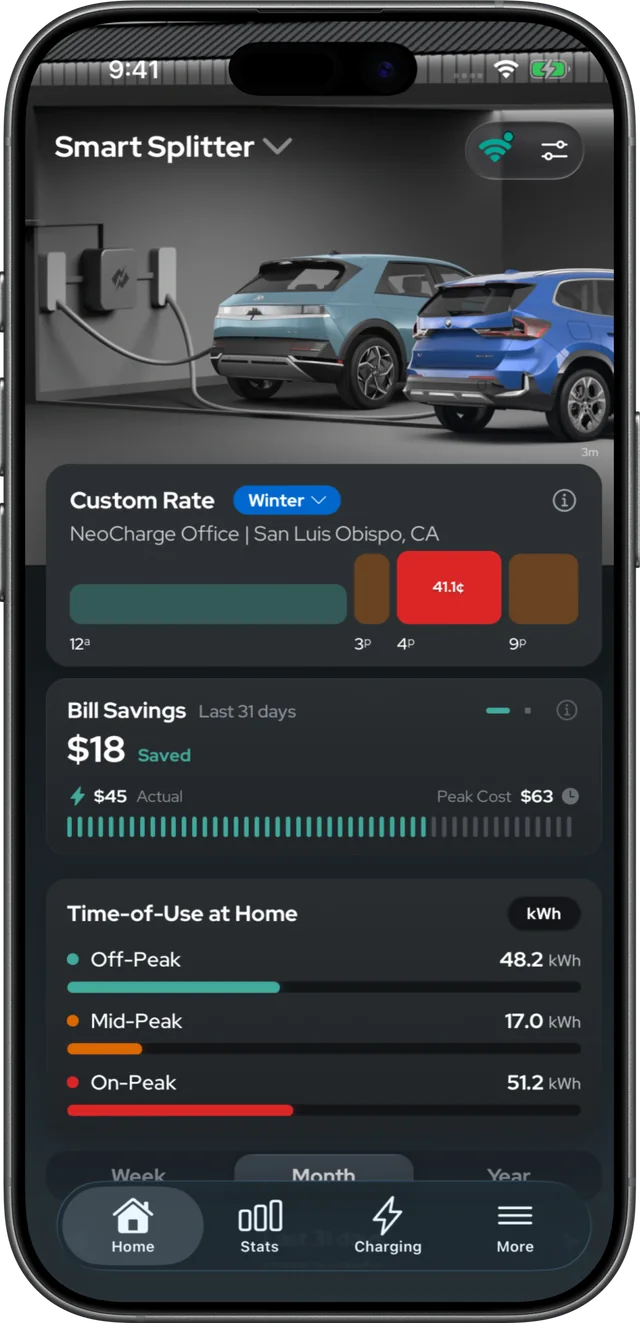
One outlet, two loads. One app watching both.
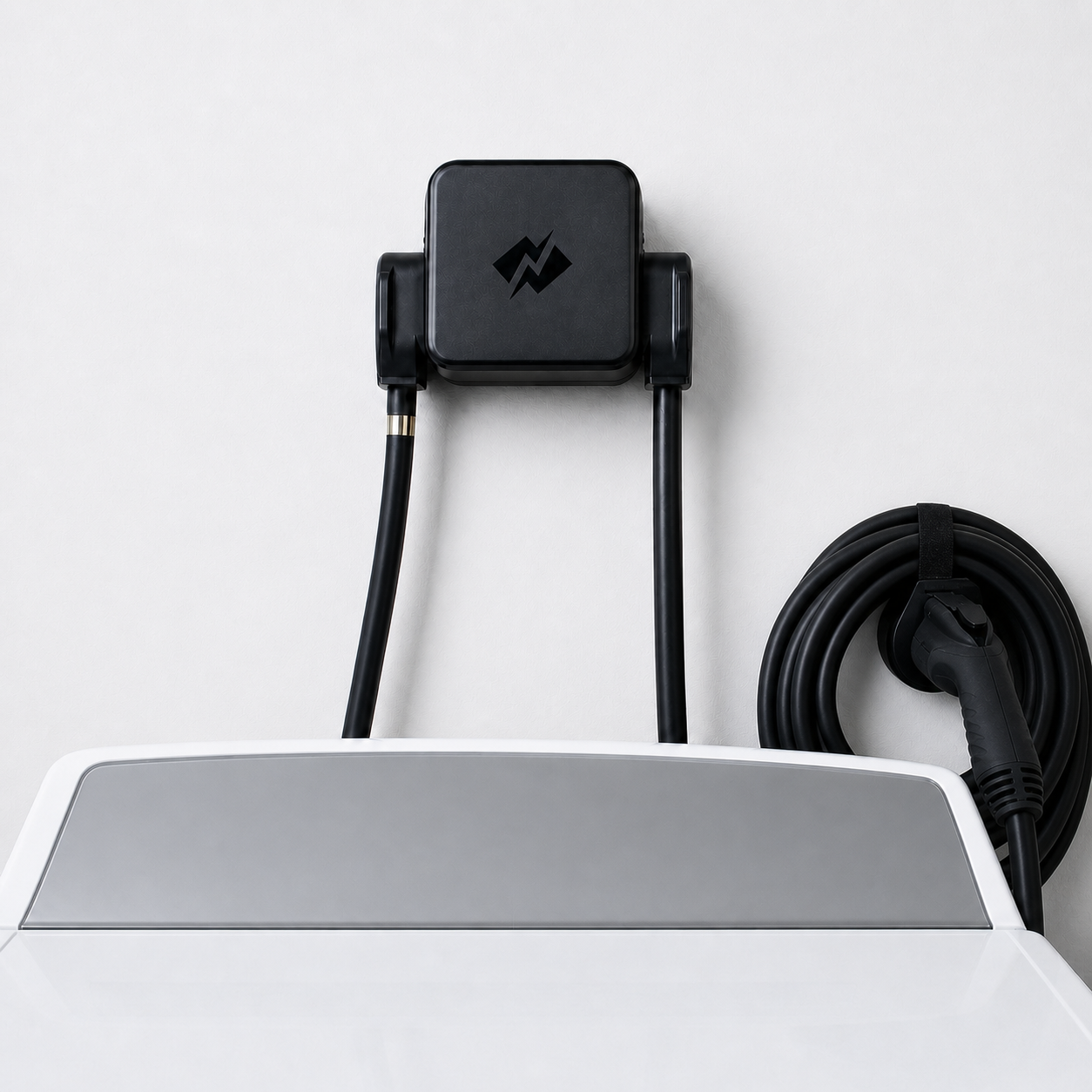
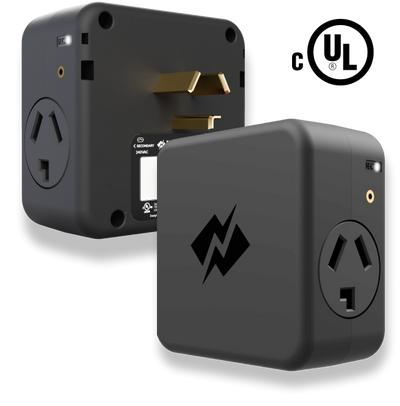
Smart Splitter lets your EV share the 240V outlet your dryer already uses. The app tracks what every load uses and costs, and turns the second outlet on and off on your schedule.
- The dryer always winsDryer starts, charging pauses. Dryer stops, charging picks up again — on its own.
- Energy and cost, trackedEvery kWh through the Splitter, split into off-, mid- and on-peak hours and priced on your rate.
- Schedule the second outletSet on and off times for the secondary outlet, so it only runs in your cheapest hours.
No electrician, no panel upgrade. Installs in about 10 minutes.
What drivers say
Drivers who stopped guessing.
-
Two NeoCharge 14-50 splitters for our 4 plug-in vehicles, 5 years now — completely trouble-free. The reporting in the app has evolved a lot. Exactly what I've been looking for. Fantastic work.
Buck TuddrusselFour-EV household · 5 years -
I was using TeslaFi and NeoCharge to track EV charging. With recent improvements — including SRP rate-plan support — I'm now using NeoCharge exclusively. Keep them coming!
DavidTesla owner -
Two EVs charging off one Level 2 port. I entered my actual utility rates and smart scheduling auto-charges at the lowest hours. Setup was a breeze.
CSTwo-EV household -
The mobile app is easy to set up — registering my two EVs was a piece of cake. I can track and monitor charging from anywhere. Very impressed with the overall design and UI.
Derek & ChristyTwo-EV household -
Clean, reliable, self-explanatory app. Robust functions without unnecessary fluff and glam. Developers updating frequently with customer feedback to keep it the best value now and in the future.
itunes lk★★★★★ App Store -
Two electric vehicles, one outlet. The app manages both cars and charges during off-peak hours, then analyzes cost and savings. It's stepped up my charging game big-time.
Randolph Birch★★★★★ Google Play
Is the NeoCharge app free?
The app is free to download on iOS and Android. With a Smart Splitter, energy and cost tracking, the secondary-outlet schedule and weekly reports are included. Without one, some features — like connecting your car directly for smart charging, and solar charging — are optional upgrades.
Do I need a Smart Splitter to use the app?
No. You can connect your car on its own for smart charging. With a Smart Splitter, the app also tracks the energy and cost of the outlet you share with your dryer or a second EV, and lets you schedule the secondary outlet on and off.
Which cars work with the app?
The app connects through your car maker’s own account. Supported brands: Acura, Audi, Cadillac, Chevrolet, Ford, GMC, Honda, Hyundai, Jaguar, Kia, Land Rover, Lexus, Lucid, Mazda, Mercedes-Benz, MINI, Nissan, Porsche, Subaru, Tesla, Toyota, Volkswagen and Volvo. Some older models can’t connect — check the full model list.
How much can I save?
It depends on your utility’s rate plan. On time-of-use plans, off-peak power is often 40–70% cheaper than peak, and drivers typically save $300+ a year just by shifting charging into those hours. The app shows your own number every week.
What if I need to charge right now?
Tap Start Charging to override the schedule and charge right away. You can stop the same way.
Does the app work in Canada?
Yes. The app works across the US and Canada. If your utility’s plan isn’t listed, you can enter a custom rate.
Free on iOS & Android
Tonight’s charge could cost less.
Two minutes to connect your car. Then it charges in the cheap hours while you sleep.
On your laptop?Point your phone camera here to download.
Free to download. Free with every Smart Splitter.

